

Brevo
Data Solutions
via SSIS Integration Toolkit & JDBC Driver Pack
Integrate and connect Brevo with our advanced tools to enable data exchange across your business applications.

Explore Data Solutions for Brevo

SQL Server-Based Integration

Java
Connectivity

Real Time Integration
The Most Feature-Rich and Flexible Data Solutions
SSIS Connectors - ETL Components - JDBC Drivers - Productivity Tools
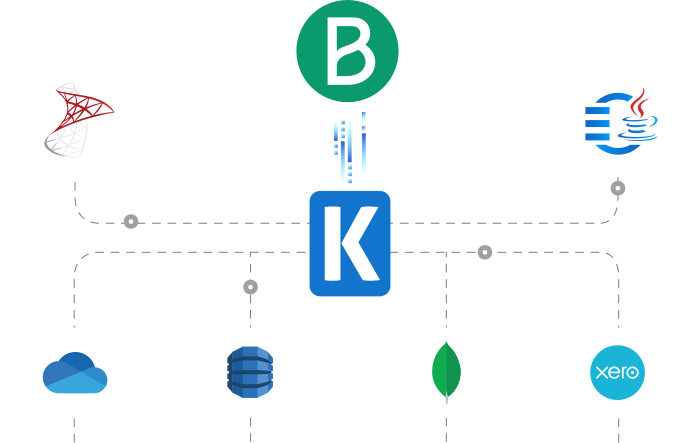
SQL Server Based Data Integration
Powerful Brevo SSIS Integration

Integrate Brevo with Any Source and Destination
Integrate and migrate data to and from Brevo using SSIS with any other application or data source, including Google Ads, Salesforce, and HubSpot, to name just a few. Easily consolidate data while maintaining data integrity and consistency
Java Connectivity
Reliable, Simplified Data Flow for Brevo
Seamlessly connect Brevo with your ETL, reporting, BI, and other applications for real-time updates, enhanced customer engagement, and automation of customer, sales, and service data.
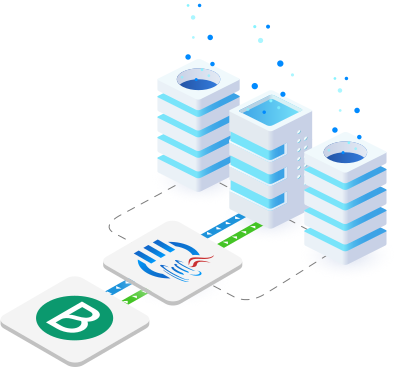
Real-Time Syncing
Set Up Webhook Listeners to Receive Messages from Brevo
Leverage Integration Gateway Custom webhooks to instantly capture and process data changes in Brevo, enabling real-time integration to keep data up-to-date across systems.
More Marketing Components
Our Marketing components make it easy to integrate with different services within the ETL process. Each service available has specific components that have been developed to work with all the intricacies of that particular Marketing service. In addition to Brevo (Sendinblue), we support the following Marketing applications:
Browse Connectors

Act-On

ActiveCampaign

Azure Maps

Constant Contact

Drift

Emfluence

Eventbrite

Facebook Business

Hubspot

GetResponse

JotForm

Keap (Infusionsoft)

LinkedIn Business

MailChimp

Mailgun

Mailjet

Marketo

Microsoft Dynamics 365 Customer Insights

Microsoft Dynamics 365 Marketing

Oracle Eloqua

Oracle Marketing Cloud

Salesforce Marketing Cloud
Salesforce Pardot

SendGrid

SendPulse

Snapchat Business

TikTok Business

Typeform

X (Twitter)

Zoho Campaings
We have been using the SSIS Integration Toolkit, the SSIS Integration Toolkit for Microsoft Dynamics 365 (CRM/AX/NAV), and the SSIS Integration Toolkit for Microsoft SharePoint. The Kingswaysoft components are extremely easy to use, and make programming SSIS packages a breeze!
Download Solutions for Brevo



FAQ
Brevo (Sendinblue) data solutions are available through the SSIS Integration Toolkit and JDBC Driver Pack.
The SSIS Connection Manager supports two authentication modes: API Key and OAuth Authorization Code. The JDBC Driver currently supports API Key.
For bulk endpoints, the REST Source component uses the Bulk Polling Interval (secs) option to specify how often to poll for the results of long-running bulk tasks.
When executing an INSERT or UPSERT statement, driver-specific write options can be passed by appending a `USING OPTIONS (...)` clause at the end of the SQL statement.
The component provides two separate error outputs: the standard Error Output({PrimaryInputName}) for general write failures, and the Orphaned Children Error Output for child rows that failed to find their parent records.
Yes, the JDBC Driver supports standard SQL operations (SELECT, INSERT, UPDATE, DELETE) and **UPSERT** for applicable tables, allowing a record to be inserted or updated in one call.
Child objects data can be connected to the secondary inputs. The parent input must include a `_LinkId` field, and the child input must include a matching `_{parentObjectName}._LinkId` field to link the records.
Get In Touch
If you would like to know more specific details about our solutions, or if you have any suggestions about our product offerings, we are always here to listen and help!
Contact Us