

SSIS Components for Project Server Integration
Manage your Project Server data integration quickly and easily.
Download Book a Demo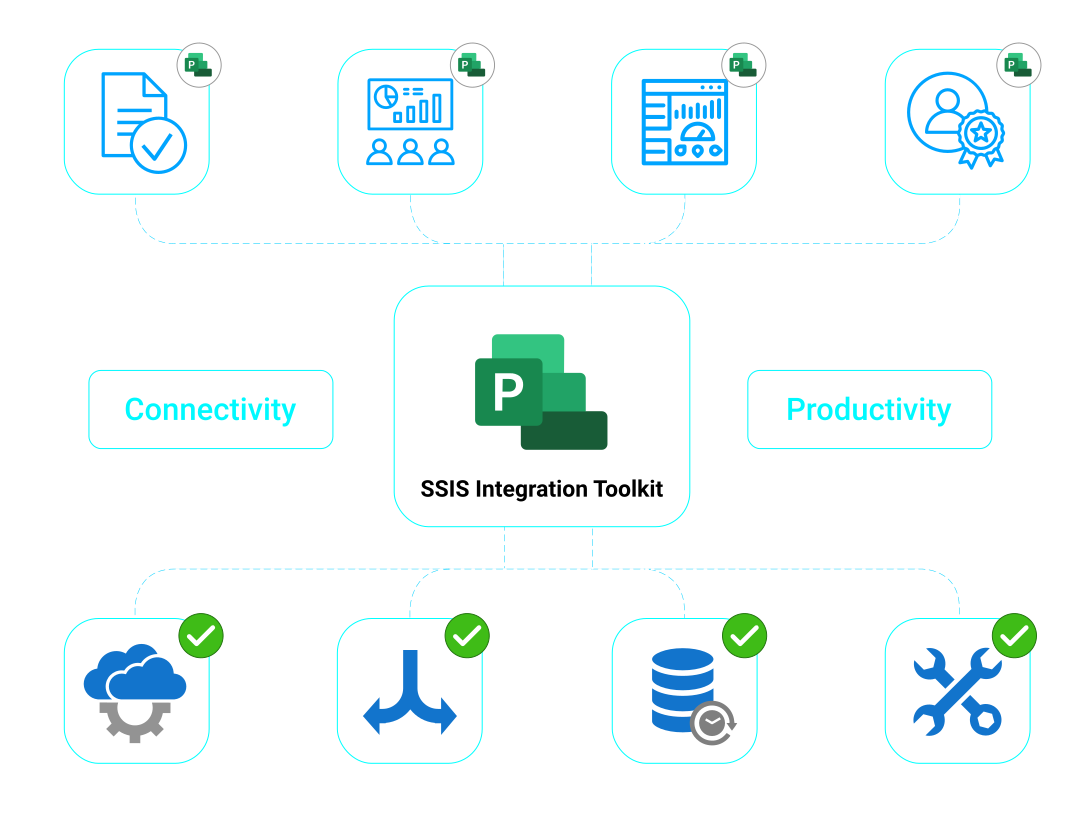
Data integration for Microsoft Project Server enables businesses to streamline internal communications, extract analytical data for reporting purposes, and integrate data from virtually any other application or database system with Microsoft Project Server for greater visibility and teamwork.
Synchronize Data
Easily sync Microsoft Project Server with your other applications to keep business information relevant. Automatically bring more visibility across the organization to keep teams up-to-date on the latest information affecting your business.


Automate Business Processes
Streamline business communications between applications, send notifications from other systems directly to Microsoft Project Server so teams can take immediate action and be kept up to date with important statuses automatically without the need for manually entering repetitive details in multiple applications.
Replicate Data

Data Archival
Easily replicate data from Microsoft Project Server for data archival and warehousing requirements.

Data Analytics
Easily retrieve data from Microsoft Project Server so it is available for your choice BI and Analytics platform.
Microsoft Project Server Data Integration is available in SSIS Integration Toolkit
Microsoft Project Server
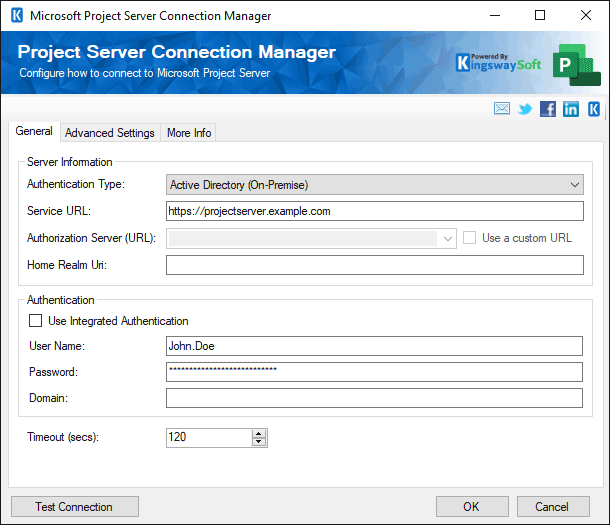
Connection Manager
- The Project Server Connection Manager facilitates connection to Microsoft Project Server web services.
- Provides different authentication modes, including Windows Authentication and Username/Password, giving users flexibility in connecting to Microsoft Project Server.
- Efficiently handles Project Server APIs, optimizing communication to ensure smooth and reliable data transfer between SSIS and Project Server.
- See this component's documentation
Microsoft Project Server
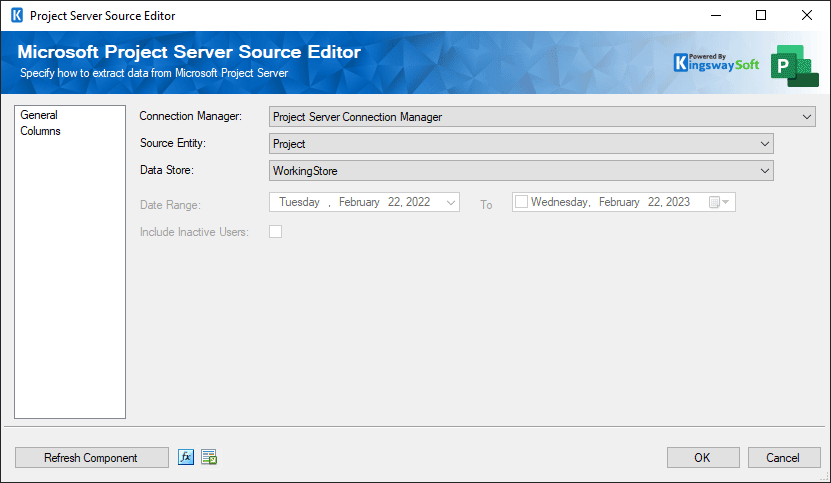
Source Component
- The source component allows you to read data from Microsoft Project Server via web services.
- Supports custom queries and filters, allowing users to extract specific project data based on their requirements.
- Enables real-time data synchronization, ensuring up-to-date project information is available for integration with other systems.
- See this component's documentation
Microsoft Project Server
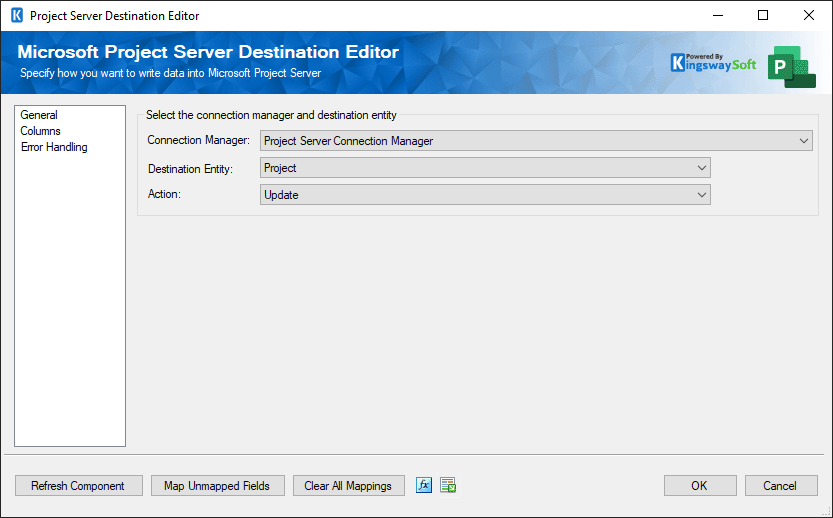
Destination Component
- The destination component facilitates writing data to Microsoft Project Server via web services.
- Supports bulk data insertion, optimizing the upload process for large datasets to Project Server and reducing processing time.
- Provides robust mapping capabilities, allowing users to accurately align SSIS data with corresponding fields in Microsoft Project Server for precise data integration and management.
- See this component's documentation
Unique Features
Project Server Data Integration Made Easy
Our solution is easy to use, offering code-less integration between Microsoft Project Server and virtually any other application or database system. Our solution is built utilizing Microsoft SQL Server Integration Services (SSIS), a performant and flexible ETL platform, allowing your team to take advantage of the technologies and skills they already have. The drag-and-drop user interface makes it easy to set up powerful integration within a matter of minutes.
Our Microsoft Project Server integration solution is available within the SSIS Integration Toolkit, a large collection of premium and unique ETL tools to enable greater development productivity. We also offer several additional connectivity solutions to easily integrate Microsoft Project Server with applications such as Microsoft Dynamics 365, SharePoint, Salesforce, and many more.
See our full product offerings for more information.
Data Integration Scenarios
Integrate Project Server with Anything
Connect Microsoft Project Server with ERP systems,
reporting tools, and internal applications using high-performance ETL components.

Integrate Project Server with Active Directory

Integrate Project Server with GitHub

Integrate Project Server with Jira

Integrate Project Server with ServiceNow

Integrate Project Server with Microsoft SharePoint
Integrate Project Server with Microsoft Teams
More SSIS Collaboration Components
Our Collaboration components make it easy to integrate with different services within the ETL process. Each service available has specific components that have been developed to work with all the intricacies of that particular collaboration solution. In addition to Microsoft Project Server, we support the following Collaboration services:

Asana

Basecamp

Calendly

ClickUp

DocuSign

GitHub

Jira

Microsoft SharePoint

Microsoft Planner

Microsoft Teams

Microsoft To Do

monday.com

OpenAI

Replicon

RingCentral

Slack

SmartSheet

Team Foundation Server

Teamwork

Trello

Webex

Wrike

Yammer

Zoho Sheet

Zoom
More Resources
Download our Data Sheet for
SSIS Components for Microsoft Project Server

Get In Touch
If you would like to know more specific details about our solutions, or if you have any suggestions about our product offerings, we are always here to listen and help!
Contact Us