

Using the Azure Devops (TFS) Source Component
The Team Foundation Source Component is an SSIS data flow pipeline component that can be used to read/retrieve data from your Team Foundation Server.
The Team Foundation Source Component includes the following two pages to configure how you want to read data from TFS:
- General
- Columns
General Page
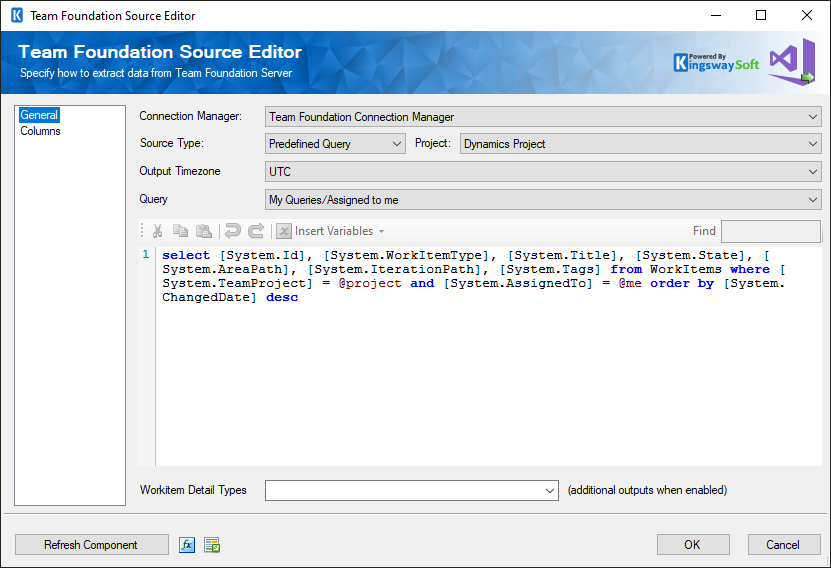
The General page of the Team Foundation Source Component allows you to specify the general settings of the component.
- Connection Manager
-
The Team Foundation Source Component requires a TFS connection in order to connect to your Team Foundation Server. The Connection Manager option will show all Team Foundation Server connection managers that have been created in the current SSIS package.
- Source Type
-
The Source Type option allows you to specify which type of TFS query you want to use. There are two available options:
- Predefined Query
- Custom Query
When Custom Query is used, you have the flexibility to specify which columns you want to retrieve from Team Foundation Server, for more information on how to build your TFS queries, visit TFS Documentation.
- Project
-
The Project option allows you to specify which TFS project is used.
- Output Timezone
-
The Output Timezone option specifies how datetime values are retrieved. There are 2 options available:
- UTC
- Adjust to Local System Timezone
- Query
-
The Query option is only available Predefined Query has been chosen as the Source Type. When you click the drop-down button of this option, the toolkit will automatically retrieve the list of all available TFS queries, so that you can pick one.
- Workitem Detail Types
-
The Workitem Detail Types option allows you to specify whether to retrieve Attachments,Comments, or/and Links. Once this function is enabled, additional outputs will become available to use for the downstream components.
- Refresh Component Button
-
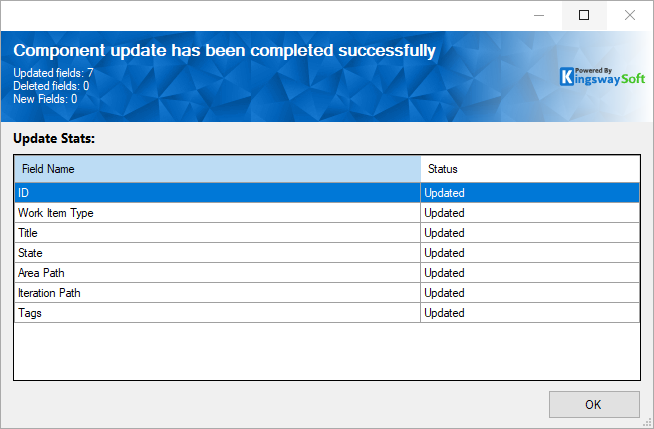
By clicking this button, the component will retrieve the latest metadata from the Team Foundation Server and update each field. After clicking this button, you will receive the following screen once the refresh is done.
Columns Page
The Columns page of the Team Foundation Source Component shows you all available columns from the query that you have defined on the General page.
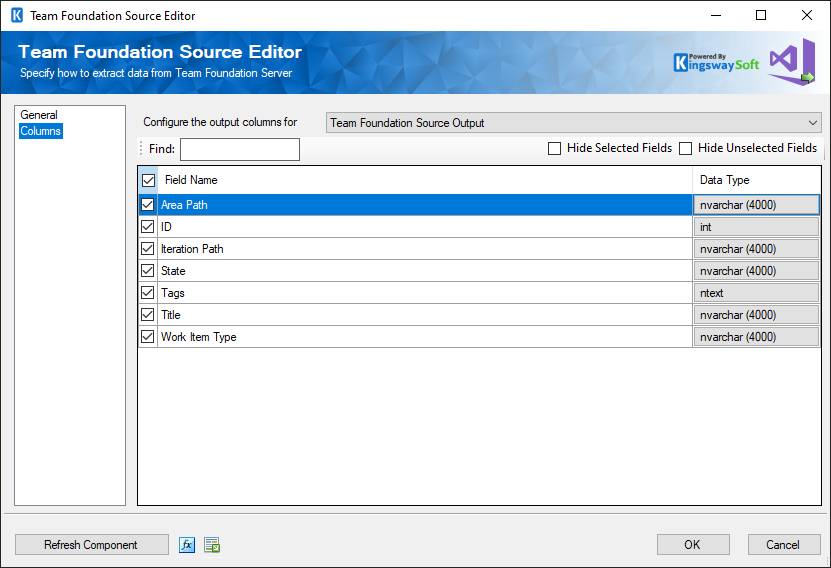
On the top left of the grid, you can see a checkbox, which can be used to toggle the selection of all available fields. This is a productive way to check or uncheck all available fields.
The Columns Page grid consists of:
- Field Name: Columns that will be retrieved from Team Foundation Server.
- Data Type: The data type of this field.
Note: As a general best practice, only select the TFS fields that are needed for the downstream pipeline components. This would not only speed up TFS queries but also save resources for the SSIS engine.