

Using the Monday.com Source Component
The Monday.com Source Component is an SSIS data flow source component that can be used to read data from endpoints. The following pages can be configured in the component:
- General
- Columns
General Page
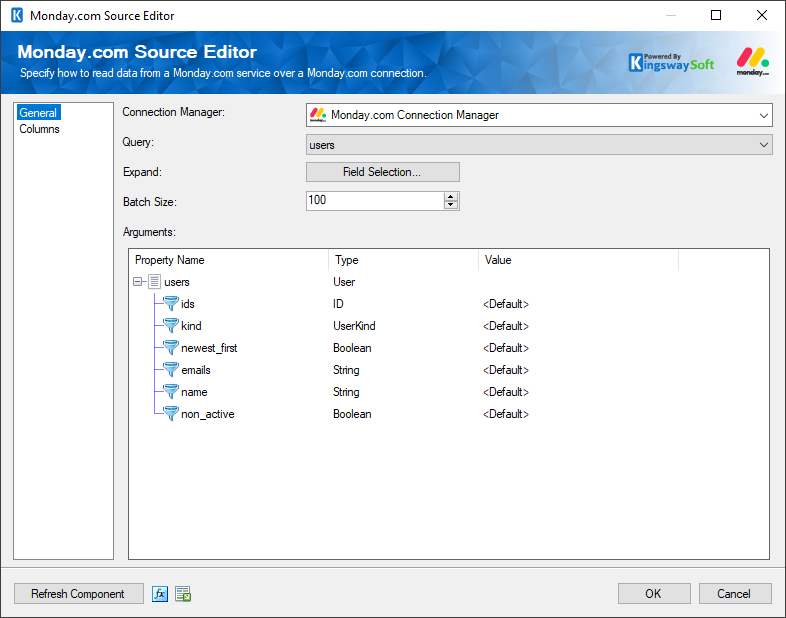
The General page can be used to configure the general settings for the Monday.com Source component.
- Connection Manager
-
A Connection Manager is required for the Monday.com Source component to connect to an endpoint. A list of available connection managers is provided in the drop-down menu.
- Query
-
The Query option allows you to select a query from the drop-down menu based on the connection configuration.
- Expand
-
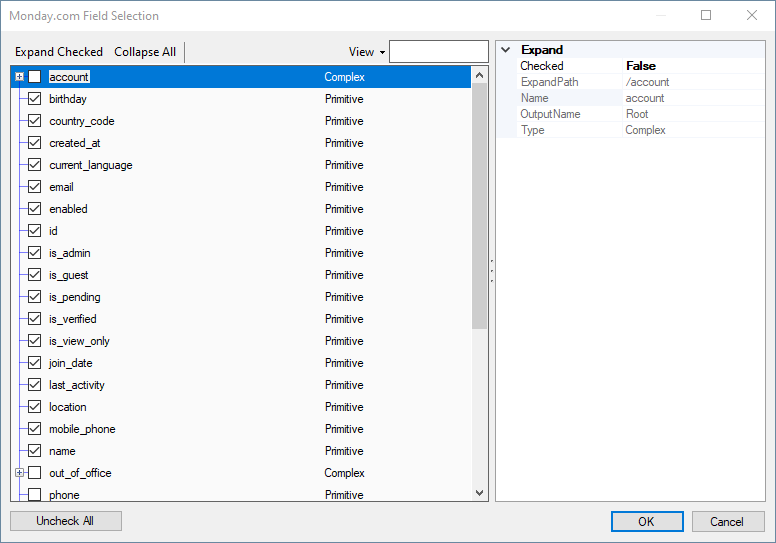
The Expand option provides a Field Selection button to retrieve the required fields and filters.
- Batch Size
-
The Batch Size option allows you to specify how many records you want to retrieve per service call.
Note: The Batch Size option is available only if the endpoint supports it.
- Arguments
-
The Arguments can be selected based on the metadata chosen through Field Selection.
- Refresh Component Button
-
Clicking the Refresh Component button retrieves the latest metadata and updates each field to its most recent metadata.
- Expression fx Button
-
Click the fx button to open the SSIS Expression Editor, which allows you to dynamically update the property at runtime.
- Generate Documentation Button
-
Click the Generate Documentation button to generate a Word document describing the component's metadata, including relevant mappings.
Columns
The Columns page provides metadata-related details for the Monday.com Source component based on the connected endpoint and the properties previously specified on the General page.
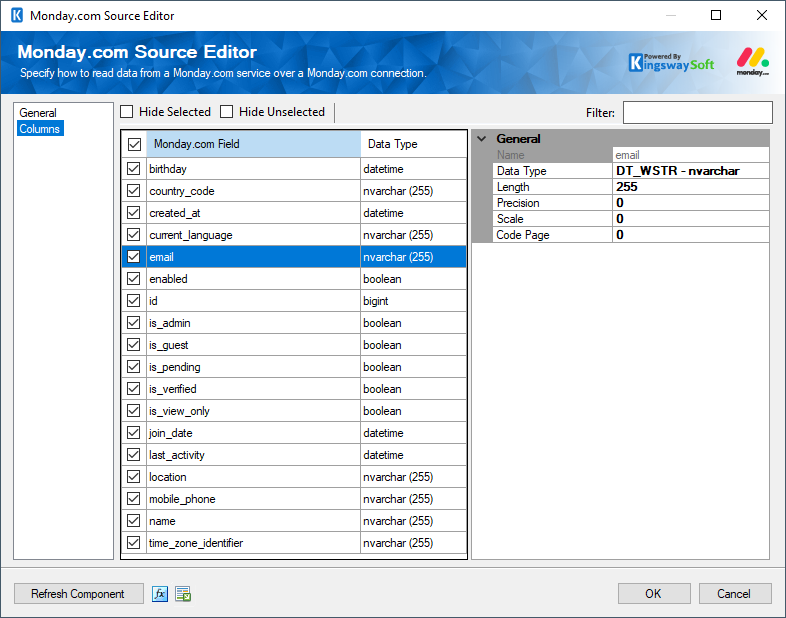
The checkbox at the top left of the grid allows you to select or deselect all available fields. This is a productive way to check or uncheck all available fields.
The Columns page grid consists of the following columns:
- Checkbox: Allows you to specify which fields to read from the selected object.
- Field: Specifies the field to retrieve from the endpoint. When a field is selected, you will be able to see general details.
- Data Type: Displays the data type of the field.