

Using the Monday.com Destination Component
The Monday.com Destination Component is an SSIS data flow destination component that can be used to write data to endpoints. The following pages can be configured in the component:
- General
- Columns
- Default Output
- Error Handling
General
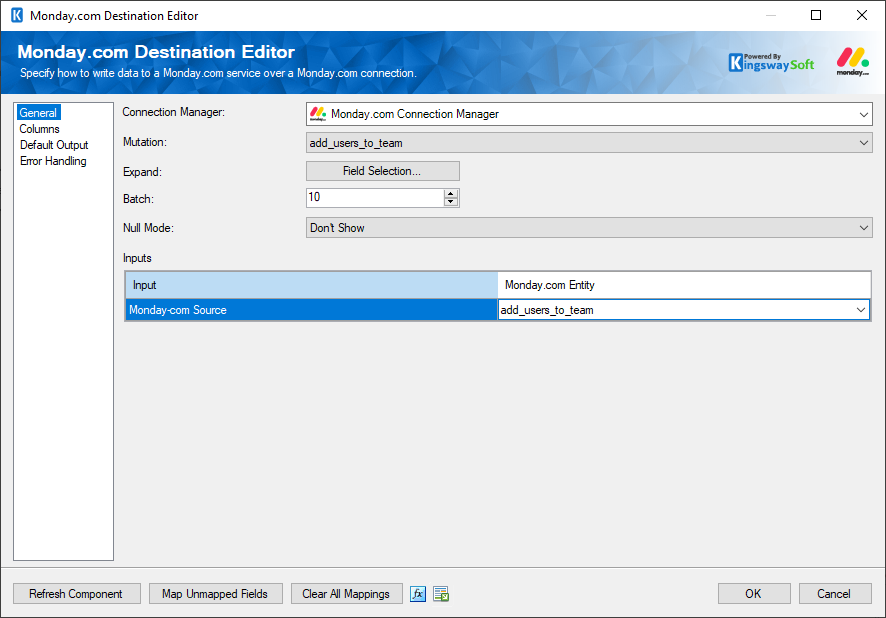
The General page can be used to configure the general settings for the Monday.com Destination component.
-
- Connection Manager
-
A Connection Manager is required for the Monday.com Source component to connect to the endpoint. A list of available connection managers will populate the drop-down.
- Mutation
-
The Mutation option allows you to select a mutation from the drop-down menu based on the connection configuration.
- Expand
-
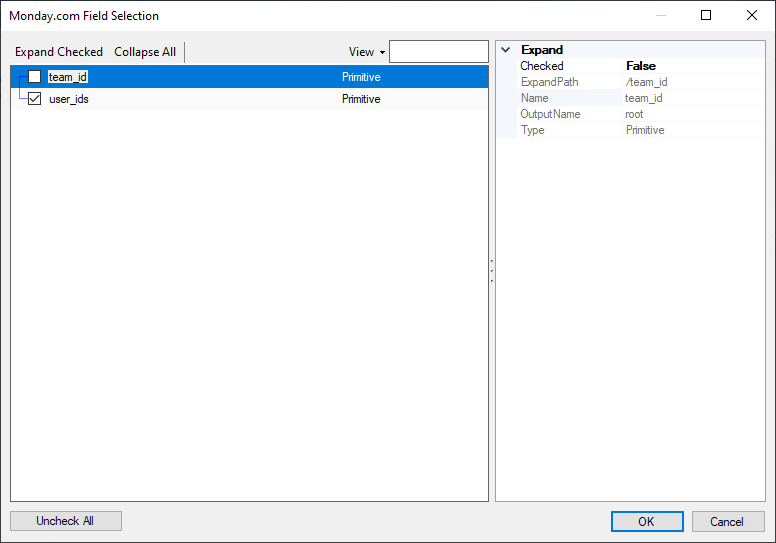
The Expand option provides a Field Selection button to retrieve the required fields and filters.
- Batch Size
-
The Batch Size option allows you to specify how many records you want to retrieve per service call.
Note: The Batch Size option is available only if the endpoint supports it.
- Null Mode
-
This option allows you to specify how null values are handled. The following options are available:
- Don't Show
- Empty String
- Null Value
- Inputs
-
The Inputs option allows you to select inputs for the respective endpoints based on the sources connected to the Monday.com Destination component.
- Refresh Component Button
-
Clicking the Refresh Component button retrieves the latest metadata and updates each field to its most recent metadata.
- Expression fx Button
-
Click the fx button to open the SSIS Expression Editor, which allows you to dynamically update the property at runtime.
- Generate Documentation Button
-
Click the Generate Documentation button to generate a Word document describing the component's metadata, including relevant mappings.
Columns
The Columns page provides metadata-related details for the Monday.com Destination component based on the connected endpoint and the properties previously specified on the General page.
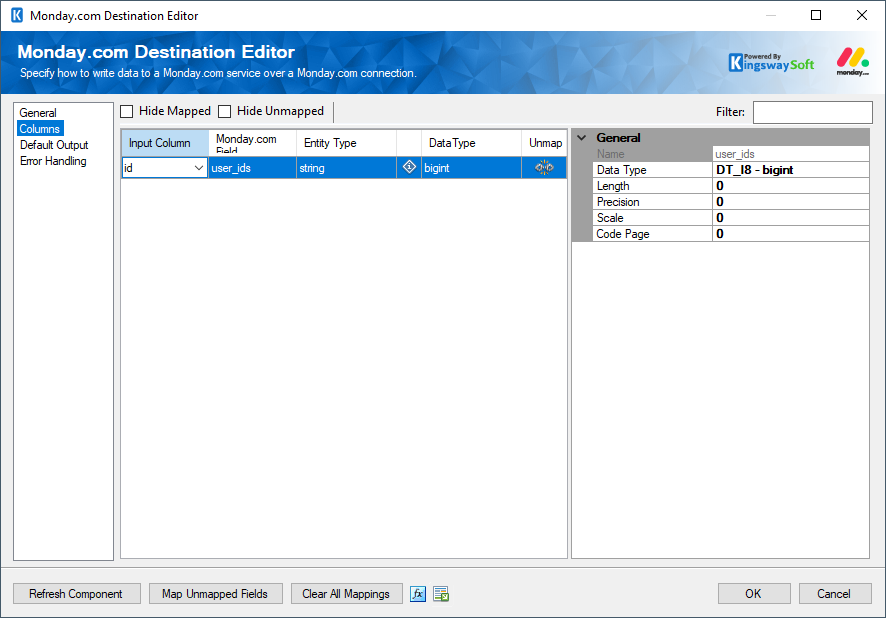
The Columns page grid consists of the following columns:
- Input Column: Allows you to select an input column from an upstream component to map to the corresponding Monday.com field.
- Monday.com Field: Specifies the field to which data will be written.
- Entity Type: Displays the entity type of the field.
- Field Additional Information: Displays a symbol which you may hover over to view additional details about the field and its requirements. Please note that only fields with special requirements will have this available.
- Data Type: Displays the data type of the field.
- Unmap: This column can be used to unmap the field from the upstream input column. If the field is not currently mapped, you can use this option to map it to an upstream input column with a matching name.
Default Output
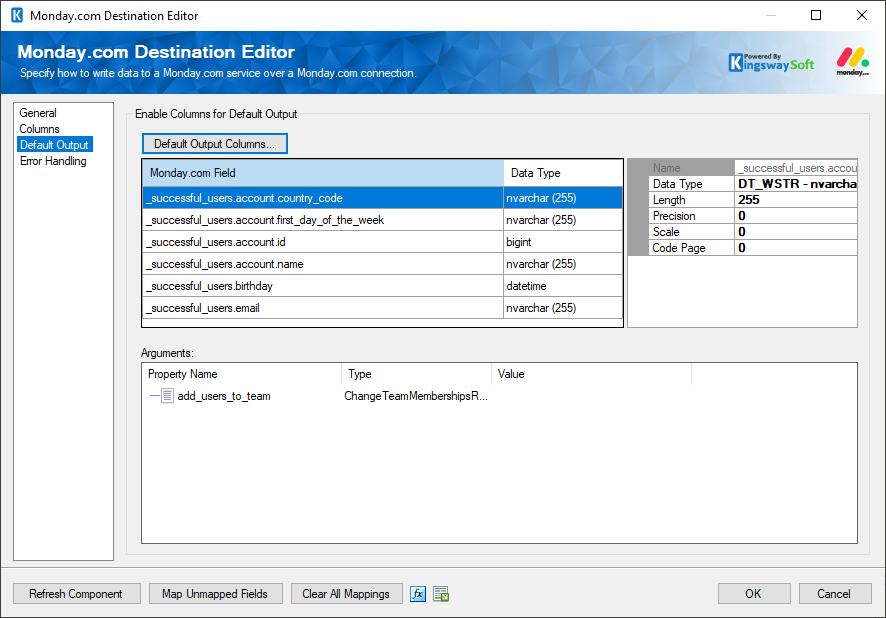
The Default Output page allows you to select the fields that will flow downstream through the default output path.
- Default Output Columns
In the window, you may select the fields to include in the default output path and uncheck any fields you want to exclude. The selected fields are also displayed after you choose them in Field Selection.
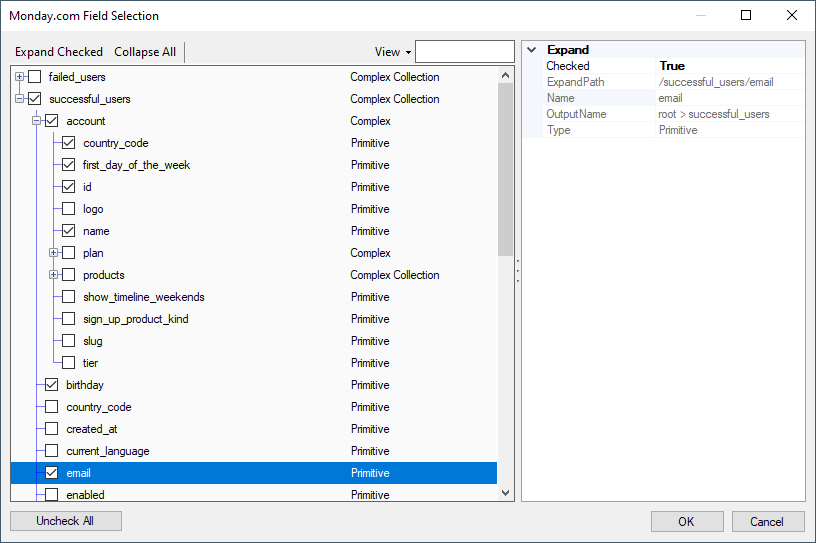
- Arguments
This read-only section displays the property name, the type or mutation selected on the General Page, and the value, which depends on the property type.
Error Handling
The Error Handling page allows you to specify how errors should be handled.
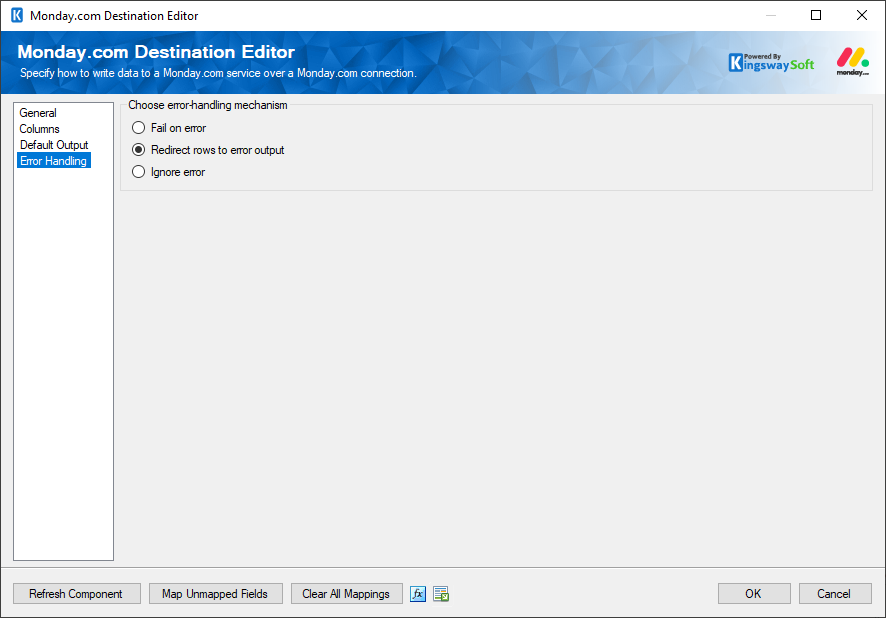
Three options are available:
- Fail on error
- Redirect rows to error output
- Ignore error
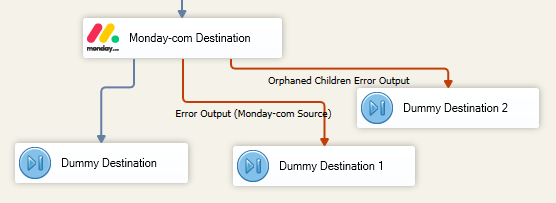
When Redirect rows to error output is selected, rows that fail to write to the Monday.com endpoint are redirected to the 'Error Output({PrimaryInputName})' output of the Destination Component; rows from the Child Input that failed to find the parent records will be redirected to the 'Orphaned Children Error Output' output of the Destination Component. As shown in the screenshot below, the blue output connection represents rows that were successfully written, while the red output connections represent rows redirected to 'Error Output{PrimaryInputName}' and 'Orphaned Children Error Output'.
- Enable Columns for Default Output
-
The button "Default Output Columns..." can be used to add the default Monday.com fields to the default output.