

SSIS Components for SharePoint Integration
Powerful SSIS connector for managing SharePoint lists, libraries, and flat files. Secure, high-performance, and incredibly easy to set up.
Download Book a Demo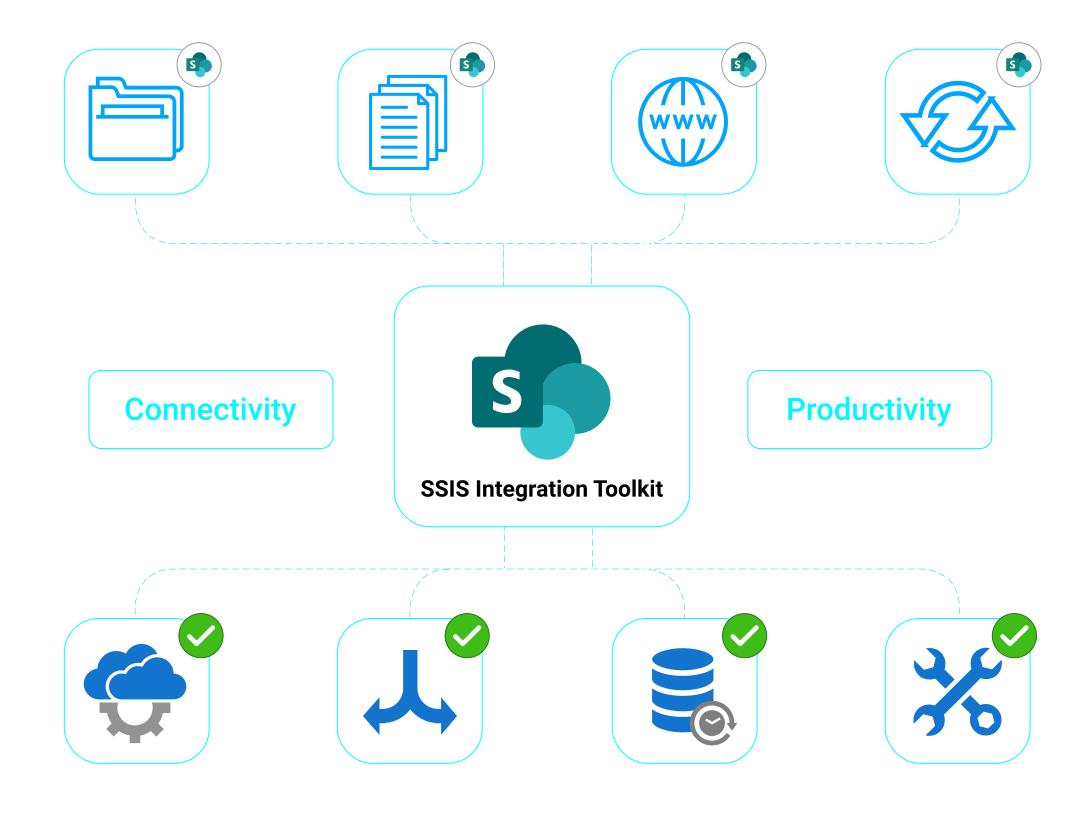
Data integration for Microsoft SharePoint enables businesses to streamline internal communications, extract analytical data for reporting purposes, and integrate data from virtually any other application or database system with Microsoft SharePoint for greater visibility and teamwork.
Synchronize Data
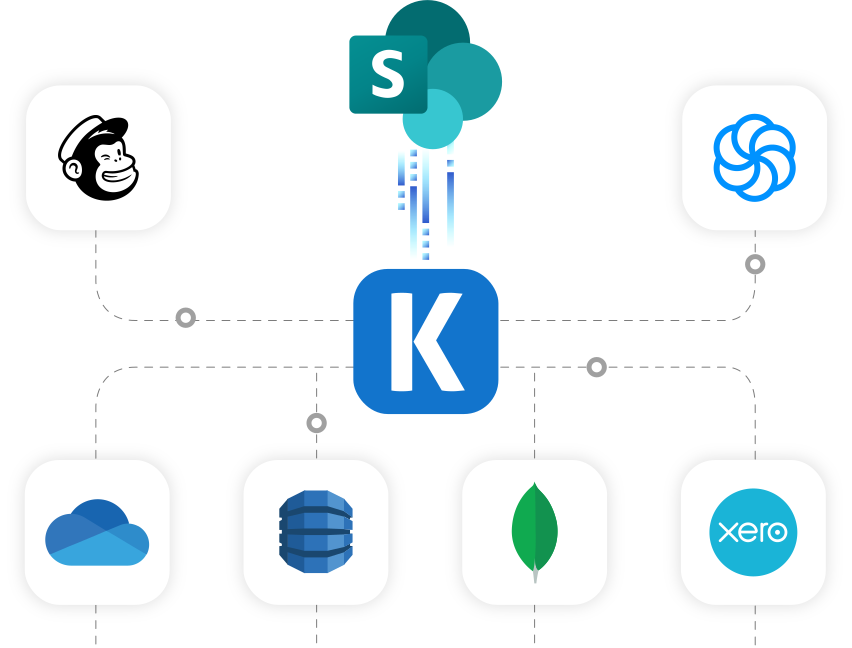
Easily sync Microsoft SharePoint with your other applications to keep business information relevant. Automatically bring more visibility across the organization to keep teams up-to-date on the latest information affecting your business.
Automate Business Processes
Streamline business communications between applications, send notifications from other systems directly to Microsoft SharePoint so teams can take immediate action and be kept up to date with important statuses automatically without the need for manually entering repetitive details in multiple applications.
Replicate Data

Data Archival
Easily replicate data from Microsoft SharePoint for data archival and warehousing requirements.

Data Analytics
Easily retrieve data from Microsoft SharePoint so it is available for your choice BI and Analytics platform.
SharePoint Data Integration is available in the SSIS Integration Toolkit
Download Purchase Help ManualVideo Tutorial
Get Started with SharePoint Components
Learn how to quickly connect, read, write, and synchronize data with SharePoint using KingswaySoft SSIS Components.
See SharePoint Video
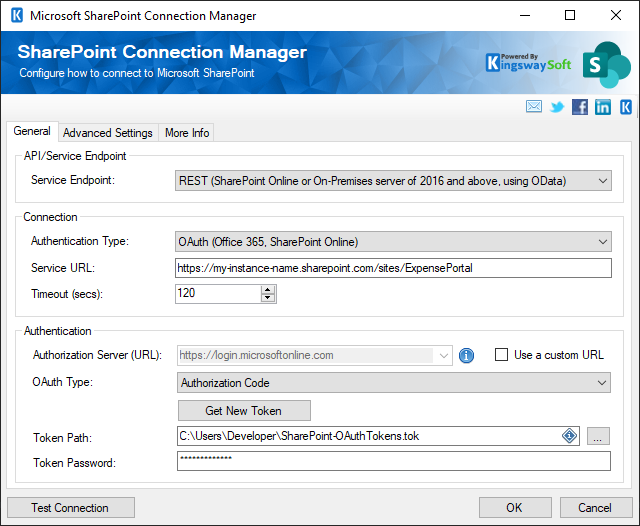
SharePoint Connection Manager
- SharePoint Connection Manager facilitates connection to Microsoft SharePoint web services.
- Provides various authentication modes, including Windows Authentication and Username/Password, offering flexibility in connecting to SharePoint. For OAuth authentication, admin consent may be required to grant the required permissions, and administrators should ensure all appropriate permissions are in place.
- The tenant (Azure AD or Microsoft Entra environment) must be specified during app registration and authentication setup.
- Supports connections to SharePoint on-premises and SharePoint Online (Office 365), enabling seamless integration with different SharePoint deployments.
- See this component's documentation
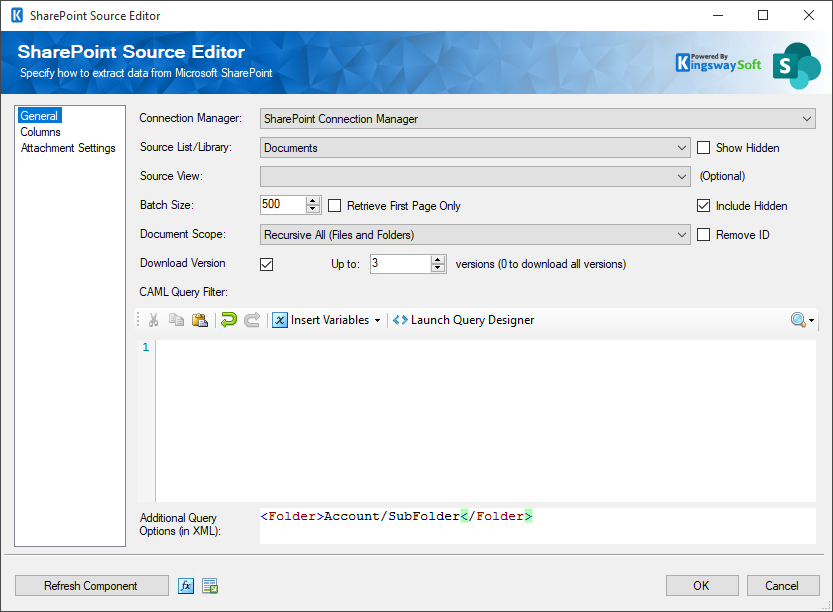
SharePoint Source Component
- Allows you to read data from Microsoft SharePoint lists and document libraries in SSIS packages via web services, and select specific entities for data extraction.
- Supports custom queries and filters, allowing users to extract specific SharePoint data based on their requirements, including querying for specific information within SharePoint.
- Enables secure access to SharePoint data for integration purposes, with support for diverse SharePoint data types, including documents, list items, attachments, and metadata.
- See this component's documentation
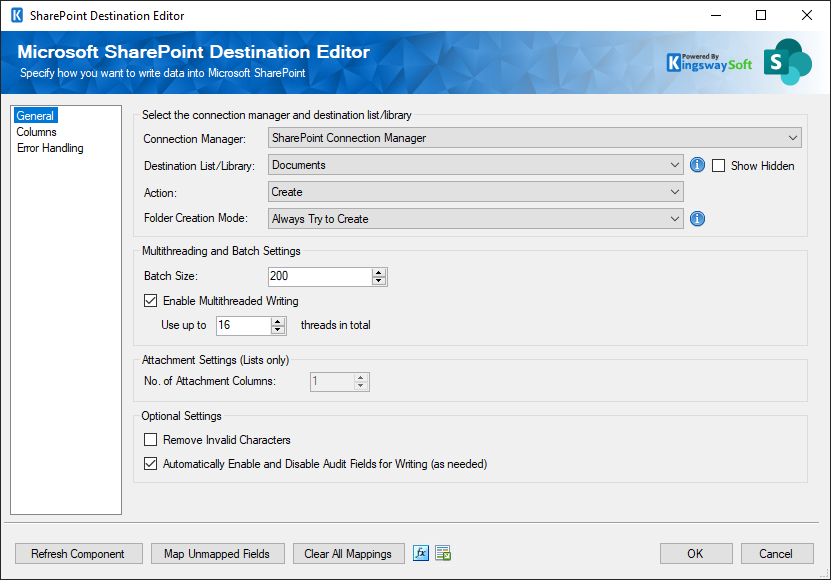
SharePoint Destination Component
- Facilitates writing data to Microsoft SharePoint via web services using Create, Update, Delete or CreateFolder.
- Supports bulk data insertion with comprehensive mapping capabilities, optimizing the upload process for large datasets to SharePoint and reducing processing time.
- Enables incremental data loading, tracking changes since the last extraction for efficient data synchronization.
- See this component's documentation
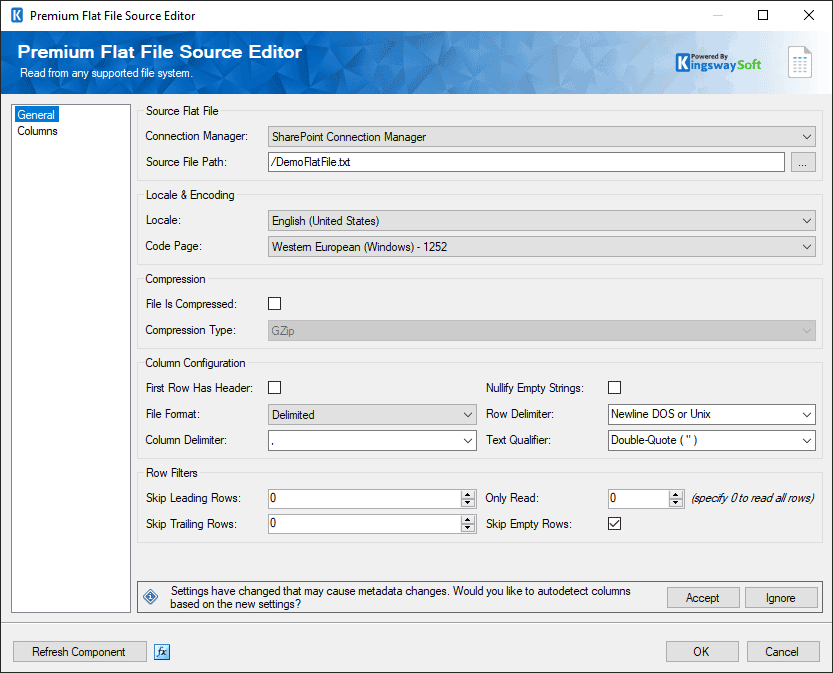
Premium Flat File
Source Component
- The Premium Flat File Source Component allows you to read data from a flat file in SharePoint.
- Offers comprehensive support for various flat file formats, including CSV, TXT, and other delimited or fixed-width formats, enabling versatile data extraction capabilities.
- Ensures optimized data retrieval performance, resulting in faster data loading and improved overall efficiency of SSIS packages.
- See this component's documentation
Premium Flat File
Destination Component
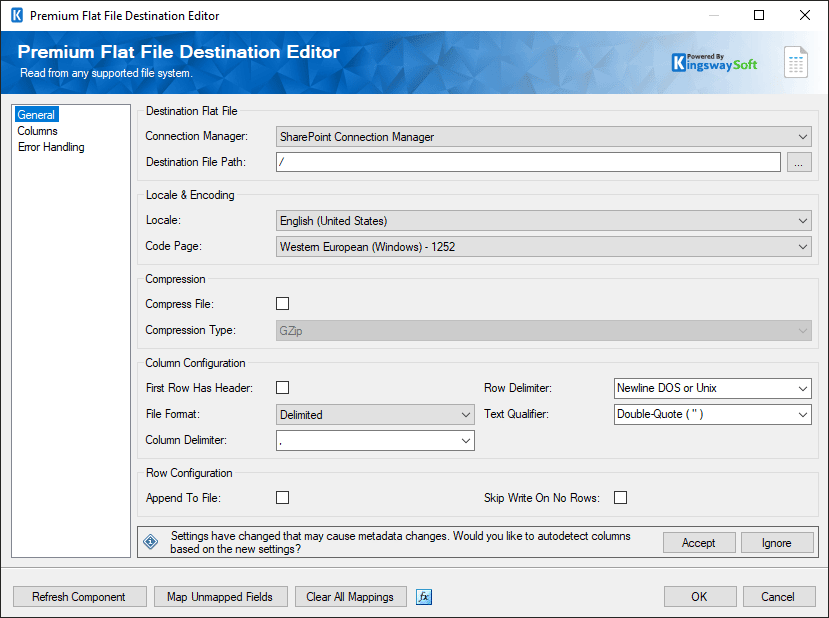
- The Premium Flat File Destination Component allows you to choose a file in SharePoint where the data will be written.
- Supports custom data parsing and handling options for accurate flat file data processing, including specific column delimiters and data types.
- Offers flexible column mapping options, allowing users to align SSIS data with specific columns in the flat file for accurate data insertion.
- See this component's documentation
Premium File Transfer
Task Component
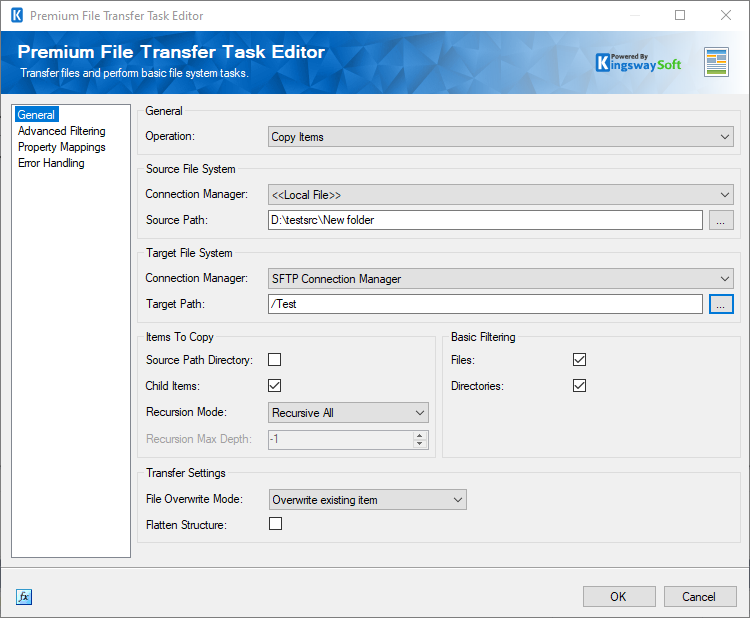
- Transfer and perform basic file system tasks: Send Files Delete Files, Create Directory, or Remove Directory.
- Offers various secure file transfer protocols, such as FTP, SFTP, FTPS, and HTTP, ensuring data privacy during file transfers.
- Enables scheduling and automation of file transfer tasks, allowing users to set up recurring transfers or execute them based on specific triggers and intervals.
- See this component's documentation
Unique Features
Microsoft SharePoint Data Integration Made Easy
Our solution is easy to use, offering code-less integration between Microsoft SharePoint and virtually any other application or database system. Our solution is built utilizing Microsoft SQL Server Integration Services (SSIS), a performant and flexible ETL platform, allowing your team to take advantage of the technologies and skills they already have. The drag-and-drop user interface makes it easy to set up powerful integration within a matter of minutes.
Our Microsoft SharePoint integration solution is available within the SSIS Integration Toolkit, a large collection of premium and unique ETL tools to enable greater development productivity. We also offer several additional connectivity solutions to easily integrate Microsoft SharePoint with applications such as Microsoft Dynamics 365, SharePoint, Salesforce, and many more.
See our full product offerings for more information.
Data Integration Scenarios
Integrate SharePoint with Anything
Connect SharePoint with CRMs, internal applications,
file systems, ticketing tools, and enterprise platforms using ETL components.

Integrate SharePoint with Azure Data Lake
Integrate SharePoint with Box
Integrate SharePoint with DocuSign
Integrate SharePoint with Dropbox
Integrate SharePoint with Dynamics 365
Integrate SharePoint with Excel
Integrate SharePoint with a File Server
Integrate SharePoint with Jira
Integrate SharePoint with a Network Drive
Integrate SharePoint with OneDrive
Integrate SharePoint with PowerApps
Integrate SharePoint with Power BI
Integrate SharePoint with Salesforce
Integrate SharePoint with ServiceNow
Integrate SharePoint with Microsoft Teams
More SSIS Collaboration Components
Our Collaboration components make it easy to integrate with different services within the ETL process. Each service available has specific components that have been developed to work with all the intricacies of that particular collaboration solution. In addition to Microsoft SharePoint, we support the following Collaboration services:

Asana

Basecamp

Calendly

ClickUp

DocuSign

GitHub

Jira

Microsoft Project Server

Microsoft Planner

Microsoft Teams

Microsoft To Do

monday.com

OpenAI

Replicon

RingCentral

Slack

SmartSheet

Team Foundation Server

Teamwork

Trello

Webex

Wrike

Yammer

Zoho Sheet

Zoom
More Resources
Download our Data Sheet for
SSIS Components for SharePoint

Get In Touch
If you would like to know more specific details about our solutions, or if you have any suggestions about our product offerings, we are always here to listen and help!
Contact Us