

Zoho Inventory
Data Solutions
via SSIS Integration Toolkit & JDBC Driver Pack
Integrate and connect Zoho Inventory with our advanced tools to enable data exchange across your business applications.

Explore Data Solutions for Zoho Inventory

SQL Server-Based Integration

Java
Connectivity

Real Time Integration
The Most Feature-Rich and Flexible Data Solutions
SSIS Connectors - ETL Components - JDBC Drivers - Productivity Tools
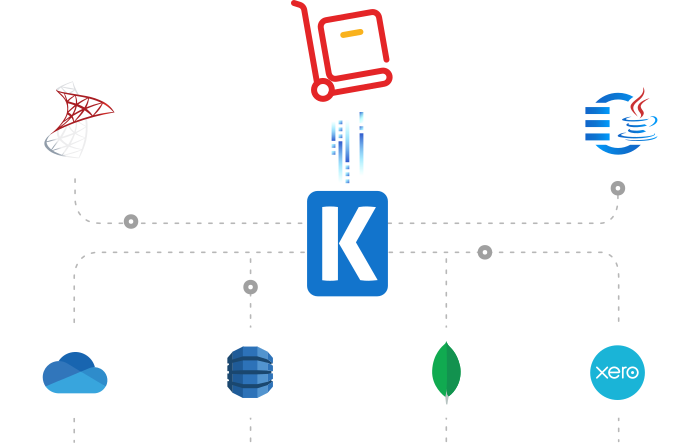
SQL Server Based Data Integration
Powerful Zoho Inventory SSIS Integration

Integrate Zoho Inventory with Any Source and Destination
Integrate and migrate data to and from Zoho Inventory using SSIS with any other application or data source, including Google Ads, Salesforce, and HubSpot, to name just a few. Easily consolidate data while maintaining data integrity and consistency
Java Connectivity
Reliable, Simplified Data Flow for Zoho Inventory
Seamlessly connect Zoho Inventory with your ETL, reporting, BI, and other applications for real-time updates, enhanced customer engagement, and automation of customer, sales, and service data.
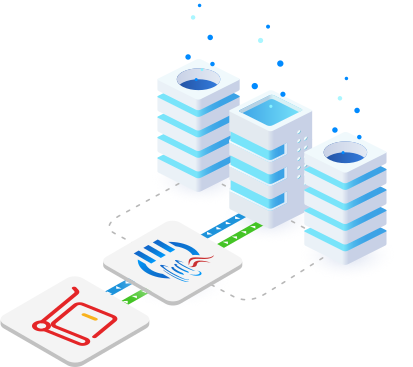
Real-Time Syncing
Set Up Webhook Listeners to Receive Messages from Zoho Inventory
Leverage Integration Gateway Custom webhooks to instantly capture and process data changes in Zoho Inventory, enabling real-time integration to keep data up-to-date across systems.
More Accounting & Commerce Connectors
Our Accounting & Commerce connectors deliver comprehensive data solutions, enabling seamless connectivity, real-time integration, data synchronization, and powerful automation across various platforms. Each service is supported by purpose-built solutions designed to work with its unique requirements. In addition to Zoho Inventory, we support the following Accounting & Commerce applications:
Browse JDBC Drivers

Authorize.net

BigCommerce

Bill.com

Chargebee

Maxio (Chargify)

eBay

Expensify

FreshBooks

Magento

MYOB

Open Accounting

Paycor

PayPal

Prestashop

QuickBooks

Sage Business Cloud

Shopify

ShipStation

Square

Stripe

WooCommerce

Xero

Zoho Books

Zoho Expense

Zuora
More Zoho Services Connectors
Our Zoho Services connectors enable smooth integration across applications, allowing for real-time data synchronization, automation, and efficient connectivity with other platforms. Each service is designed to accommodate its unique structure, ensuring reliable and accurate data flow. In addition to Zoho Inventory, we support the following Zoho Services:
Browse Zoho Connectors

Zoho Bigin
Zoho Books

Zoho Campaign

Zoho CRM

Zoho Desk
Zoho Expense

Zoho Invoice

Zoho Sheet
We have been using the SSIS Integration Toolkit, the SSIS Integration Toolkit for Microsoft Dynamics 365 (CRM/AX/NAV), and the SSIS Integration Toolkit for Microsoft SharePoint. The Kingswaysoft components are extremely easy to use, and make programming SSIS packages a breeze!
Download Solutions for Zoho Inventory



FAQ
Zoho Inventory data solutions are available through the SSIS Integration Toolkit, and the JDBC Driver Pack. Real-time event processing with Zoho Inventory can be streamlined with the Integration Gateway's highly flexible 'Custom Webhook' functionality by receiving standard webhook notifications.
To connect SSIS to Zoho Inventory, add a REST (KingswaySoft) Connection Manager to your project. Configure connection properties on three pages:
- General: Specify Service Name, API Throttle Rate, and generate OAuth token using Client ID, Client Secret, Redirect URL, and Data Center. Assign a Token File and Organization Id, then test the connection.
- Advanced Settings: Configure Proxy Mode, Proxy Server, Port, and authentication credentials. Set request Timeout, enable Retry on Intermittent Errors, and optionally Ignore Certificate Errors (not recommended for production).
- Custom Headers: Add or remove headers by specifying Header Name and Header Value.
The Zoho Inventory REST Source Component allows reading data from Zoho Inventory REST services. Configure it by selecting a Connection Manager, Source Object, Endpoint, optional Filter Parameters, Batch Size, and Output Time Zone. Metadata can be refreshed, and dynamic expressions can be applied using the fx icon. The Columns page lets you select which fields to retrieve, with the option to manage additional fields for secondary outputs or sub-objects.
The Zoho Inventory REST Destination Component writes data to Zoho Inventory REST services. Configure the component by selecting a Connection Manager, Destination Object, and Action. You can map upstream input columns to REST fields on the Columns page, including support for multi-input child objects using _LinkId to associate parent and child records.
The Error Handling page allows you to choose between failing on error, redirecting rows to error outputs, or ignoring errors. Outputs include:
_ZohoInventoryId: ID of the newly created record.- HTTP diagnostics columns such as
_HttpRequestUrl,_HttpRequestMethod,_HttpRequestHeaders,_HttpRequestBody,_HttpResponseCode,_HttpResponseHeaders, and_HttpResponseBodyfor downstream debugging or logging.
The JDBC Driver Pack allows Java applications to execute standard SQL-based queries, including SELECT, INSERT, UPDATE, DELETE, and UPSERT, where supported by the underlying Zoho Inventory API objects.
The Integration Gateway utilizes its Custom Webhooks feature to listen for immediate data change messages from Zoho Inventory, instantly processing the event to keep data up-to-date across your connected systems.
Get In Touch
If you would like to know more specific details about our solutions, or if you have any suggestions about our product offerings, we are always here to listen and help!
Contact Us