

Addressing Java Integration Barriers
Working with Sage Business Cloud data introduces challenges such as:
Java Database Connectivity Solutions
The JDBC Driver Pack presents Sage Business Cloud API data as structured tables, enabling Java applications
to work with accounting and financial records through familiar JDBC patterns.
Tabular Access to Accounting Data
Customers, suppliers, invoices, payments, accounts, and transactions are exposed as structured tables.
SQL-Style Queries via JDBC API
Java programs can use JDBC queries to retrieve Sage Business Cloud data without manual API handling.

Dynamic Schema Discovery
Expose customers, suppliers, invoices, payments, and account data through JDBC metadata.
Optimized Data Handling
Built-in pagination and request handling support stable access to large Sage Business Cloud datasets.
Benefits for Your Business
Centralized Financial Reporting
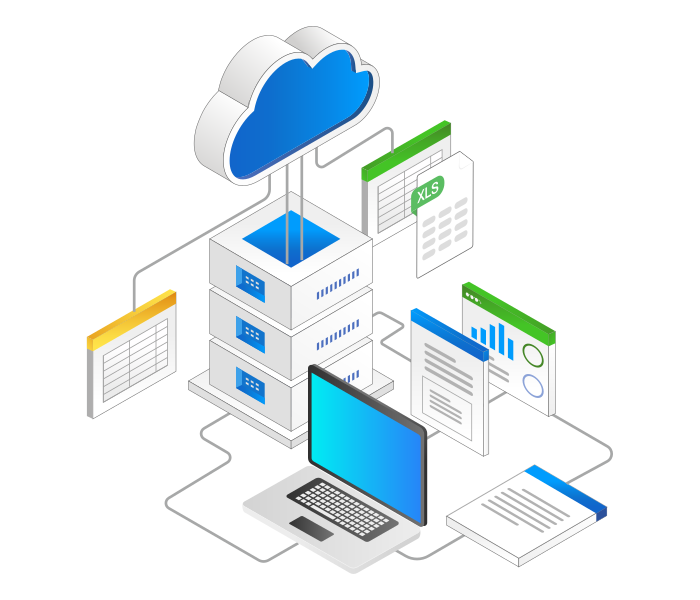
Integrate Sage Business Cloud customer, invoice, payment, and account data into Java applications, analytics platforms, or reporting systems.
Simplified Java Integration
Enable Java programs to access Sage Business Cloud APIs through standard JDBC interfaces, reducing custom development effort.
Streamlined JDBC Features for Java Developers
Quick Setup
Easily configure JDBC URLs for Java applications with minimal effort through a straightforward setup process.
SQL Query Support
Execute SQL statements such as SELECT, INSERT, UPDATE, DELETE, and UPSERT using the JDBC API.
Advanced Query Capabilities
Leverage metadata discovery, prepared statements, and optimized execution for Java database connectivity.
Performance Optimization
Adjust caching and query timeouts while utilizing connection pooling in Java programs for better efficiency.
Secure Access Management
Utilize OAuth and API keys for secure JDBC access from Java applications without complex configuration logic.
Compatible with Leading JDBC Tools
Work with DbVisualizer, DBeaver, SQuirreL SQL, and other JDBC tools commonly used by Java developers.
JDBC API Access in Java Applications
Seamless Connection to Sage Business Cloud with KingswaySoft.
The JDBC Driver Pack provides structured access to Sage Business Cloud through the JDBC API, allowing Java applications to retrieve accounting, financial, and transaction data through standard JDBC interfaces.
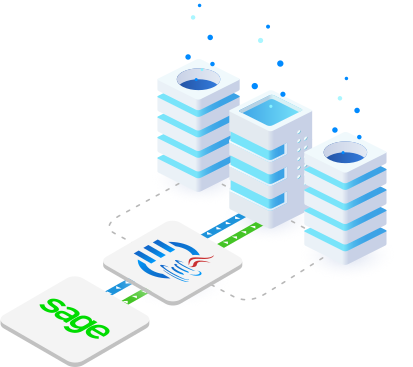
Simplified JDBC Connectivity to Sage Business Cloud with
KingswaySoft's JDBC Driver Pack
Download
Purchase
Help Manual
Accounting & E-commerce JDBC Drivers
Our JDBC Driver Pack includes a diverse selection of
drivers for seamless connectivity across business applications.

Adobe Commerce/Magento

ADP

Authorize.Net

BigCommerce

Bill.com

Chargebee

eBay

Expensify

FreshBooks

Freshsales

Maxio / Chargify

Open Accounting

PayPal

PrestaShop
Sage Business Cloud

ShipStation

Shopify

Square

Stripe

Wave Accounting
Xero

Zoho Books

Zoho Expense

Zoho Inventory
Zoho Invoice

Zuora
FAQ
The KingswaySoft JDBC Driver for Sage Business Cloud allows Java applications and compatible JDBC tools to access Sage Business Cloud data through a standard JDBC interface. This helps users work with addresses, contacts, tax rates, attachments, opening balances, and related accounting data using familiar SQL operations.
The driver supports OAuth Authorization Code authentication using a saved token file and token password. Users can generate a token file with Client ID, Client Secret, Redirect URL, Scope, and optional PKCE support.
The driver supports standard SQL operations including SELECT, INSERT, UPDATE, and DELETE. Users can retrieve and manage Sage Business Cloud records such as addresses, tax rates, and contact opening balances using JDBC statements and prepared statements..
Yes. The driver supports JDBC metadata discovery through standard DatabaseMetaData methods such as getTables, getColumns, and getPrimaryKeys. This helps users identify available Sage Business Cloud tables, fields, and primary key details.
Yes. The connection settings include Business and Business Id options, allowing users to select the Sage Business Cloud business they want to connect to.
Get In Touch
If you would like to know more specific details about our solutions, or if you have any suggestions about our product offerings, we are always here to listen and help!
Contact Us