

Maxio (Chargify)
Data Solutions
via SSIS Integration Toolkit & JDBC Driver Pack
Easily connect and integrate Maxio (Chargify) data using KingswaySoft’s feature-rich JDBC Driver Pack, Integration Gateway and SSIS Components.

Explore Data Solutions for Maxio (Chargify)

SQL Server-Based Integration

Java
Connectivity

Real Time Integration
The Most Feature-Rich and Flexible Data Solutions
SSIS Connectors - ETL Components - JDBC Drivers - Productivity Tools
SQL Server Based Data Integration
Powerful SSIS Connectivity for Maxio (Chargify)

Integrate Maxio (Chargify) with Any Source and Destination
Integrate and migrate data to and from Maxio (Chargify) using SSIS with any other application or data source including Google Ads, Salesforce, and HubSpot, to name just a few.
Java Connectivity
Reliable, Simplified Data Access for Maxio (Chargify)
Easily connect Maxio (Chargify) with your ETL, reporting, BI, and other applications to ensure client records are always up-to-date, providing greater visibility across the organization and keeping all teams informed on the status of relevant issues.
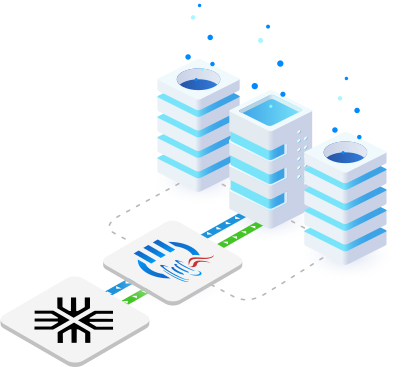
Real-Time Syncing
Set Up Webhook Listeners to Receive Messages from Maxio (Chargify)
Leverage Integration Gateway's Custom Webhooks to instantly capture and process data changes in Maxio (Chargify), enabling real-time integration to keep data up-to-date across systems.
More Accounting & Commerce Components
Our Accounting & Commerce components make it easy to integrate with different services within the ETL process. Each service available has specific components that have been developed to work with all the intricacies of that particular accounting/commerce solution. In addition to Maxio (Chargify), we support the following Accounting & Commerce services:
Browse Connectors

Authorize.net

BigCommerce

Bill.com

Chargebee

eBay

Expensify

FreshBooks

Magento

MYOB

Open Accounting

Paycor

PayPal

Prestashop

QuickBooks

Sage Business Cloud

Shopify

ShipStation

Square

Stripe

WooCommerce

Xero

Zoho Books

Zoho Expense

Zoho Invoice

Zuora
We have been using the SSIS Integration Toolkit, the SSIS Integration Toolkit for Microsoft Dynamics 365 (CRM/AX/NAV), and the SSIS Integration Toolkit for Microsoft SharePoint. The Kingswaysoft components are extremely easy to use, and make programming SSIS packages a breeze!
Download Solutions for Maxio (Chargify)



FAQ
To configure a Maxio/Chargify REST Connection Manager, right-click in the SSIS Connection Manager area and select "New Connection", then choose REST (KingswaySoft). On the General page, specify the Service Name, Subdomain, API Key, and optional API Throttle Rate. The Advanced Settings page allows configuration of proxy settings, timeout values, retry behavior, SSL certificate handling, and custom HTTP headers.
The Maxio/Chargify REST Source Component retrieves data from available API objects and endpoints. After selecting a REST Connection Manager, choose a Source Object and Endpoint, configure optional batch size, set the output time zone (UTC or Local), and apply filtering parameters as needed. The Columns page allows you to select only the fields required for downstream processing, which improves performance and efficiency.
The Maxio/Chargify REST Destination Component enables writing data to Chargify objects by selecting a Destination Object and supported Action. You can configure batch size, define input time zone settings, and map input columns to REST fields on the Columns page. The component also supports mapping parent-child relationships through secondary inputs for writing complex object structures.
The Destination Component supports multi-input configurations for writing child objects alongside parent records. A special _LinkId field is used to associate parent and child data. If child records cannot find a matching parent, they are redirected to the Orphaned Children Error Output for troubleshooting and correction.
The REST Destination Component offers flexible error handling options including Fail on error, Redirect rows to error output, and Ignore error. Detailed error metadata such as ErrorCode, ErrorMessage, and HTTP diagnostics (request URL, method, headers, response code, and body) can be captured to support logging, auditing, and troubleshooting scenarios.
The Advanced Settings page allows configuration of proxy modes (No Proxy, Auto-detect, or Manual), authentication credentials, request timeout, and retry logic for intermittent errors. You can also configure custom HTTP headers and choose whether to ignore SSL certificate errors. For production environments, it is recommended to keep certificate validation enabled to maintain secure connections.
Get In Touch
If you would like to know more specific details about our solutions, or if you have any suggestions about our product offerings, we are always here to listen and help!
Contact Us