

SharePoint
Data Solutions
via SSIS Integration Toolkit & JDBC Driver Pack
Easily connect and integrate SharePoint data using KingswaySoft’s feature-rich JDBC Driver Pack, Integration Gateway and SSIS Components.
Explore Data Solutions for SharePoint

SQL Server-Based Integration

Java
Connectivity

Real Time Integration
The Most Feature-Rich and Flexible Data Solutions
SSIS Connectors - ETL Components - JDBC Drivers - Productivity Tools
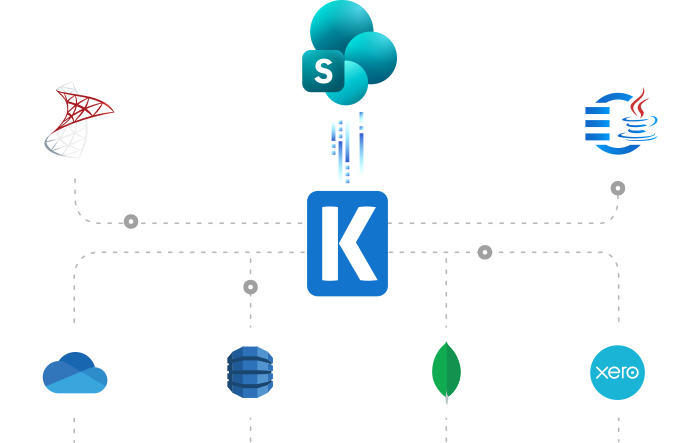
SQL Server Based Data Integration
Powerful SSIS Connectivity for SharePoint

Integrate SharePoint with Any Source and Destination
Integrate and migrate data to and from SharePoint using SSIS with any other application or data source including Google Ads, Salesforce, and HubSpot, to name just a few.
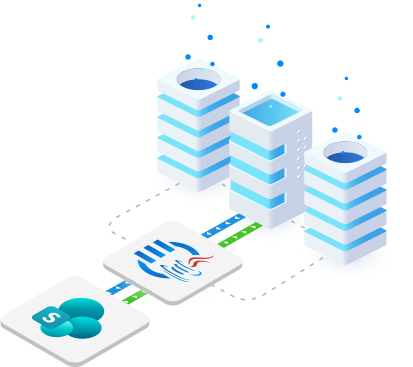
Java Connectivity
Reliable, Simplified Data Access for SharePoint
Easily connect SharePoint with your ETL, reporting, BI, and other applications to ensure client records are always up-to-date, providing greater visibility across the organization and keeping all teams informed on the status of relevant issues.
Real-Time Syncing
Set Up Webhook Listeners to Receive Messages from SharePoint
Leverage Integration Gateway's Custom Webhooks to instantly capture and process data changes in SharePoint, enabling real-time integration to keep data up-to-date across systems.
More Collaboration Components
Our Collaboration components make it easy to integrate with different services within the ETL process. Each service available has specific components that have been developed to work with all the intricacies of that particular collaboration solution. In addition to Microsoft SharePoint, we support the following Collaboration services:

Asana

Basecamp

Calendly

ClickUp

DocuSign

GitHub

Jira

Microsoft Project Server

Microsoft Planner

Microsoft Teams

Microsoft To Do

monday.com

OpenAI

Replicon

RingCentral

Slack

SmartSheet

Team Foundation Server

Teamwork

Trello

Webex

Wrike

Yammer

Zoho Sheet

Zoom
We have been using the SSIS Productivity Pack, the SSIS Integration Toolkit for Microsoft Dynamics 365 (CRM/AX/NAV), and the SSIS Integration Toolkit. The Kingswaysoft components are extremely easy to use, and make programming SSIS packages a breeze!
Download Solutions for SharePoint



FAQ
Microsoft SharePoint data solutions are available through the SSIS Integration Toolkit and the JDBC Driver Pack. These tools provide robust capabilities for integrating SharePoint data with various platforms and applications.
You can perform a full range of data operations including SELECT, INSERT, UPDATE, DELETE, and UPSERT. These operations allow you to manage SharePoint list data, documents, and library content seamlessly within your data flows.
REST is recommended for modern integrations as it supports SharePoint Online and On-Premises Server 2016+. SOAP remains available for legacy scenarios. Note that switching endpoints may require a metadata refresh in the connection manager to ensure data integrity.
Security is best managed via OAuth authentication. For long-term compliance and security, we recommend using AuthorizationCode or Certificate-based OAuth types, especially as legacy methods like Custom App authentication face future deprecation.
Efficiency is achieved through CAML query filtering. Our built-in CAML Query Designer allows you to visually build filters. Furthermore, adjusting Batch Size and utilizing hidden field options can significantly optimize the performance of your data retrieval.
Yes. The toolkit allows you to download attachments and documents, retrieve detailed version history, and upload attachments using configurable attachment columns during write operations.
The SharePoint Destination Component supports seven actions: Create, Update, Delete, CreateFolder, CheckIn, CheckOut, and Moderate. Performance for large datasets is enhanced by Multithreaded writing capabilities.
The SharePoint JDBC Driver enables Java-based applications and BI tools to interact with SharePoint data using standard SQL syntax. This significantly reduces development complexity by treating SharePoint lists as standard relational database tables.
The Integration Gateway utilizes custom webhooks to capture SharePoint data change events as they happen. This enables instant data synchronization across your connected ecosystem without waiting for scheduled batch jobs.
The Retry on Intermittent Errors feature automatically retries failed service calls up to three times at 0, 15, and 60-second intervals. This built-in resiliency ensures that temporary network blips do not cause your entire integration process to fail.
Get In Touch
If you would like to know more specific details about our solutions, or if you have any suggestions about our product offerings, we are always here to listen and help!
Contact Us