

Microsoft Teams
Data Solutions
via SSIS Integration Toolkit, JDBC Driver Pack and Integration Gateway
Integrate and connect Microsoft Teams using SSIS, JDBC, and webhook listener tools to work with teams, channels, chats, messages, and member data while supporting event-driven workflows.
Download See All Products
Explore Data Solutions for Microsoft Teams

SQL Server-Based Integration

Java
Connectivity

Real Time Integration
The Most Feature-Rich and Flexible Data Solutions
SSIS Connectors - ETL Components - JDBC Drivers - Productivity Tools
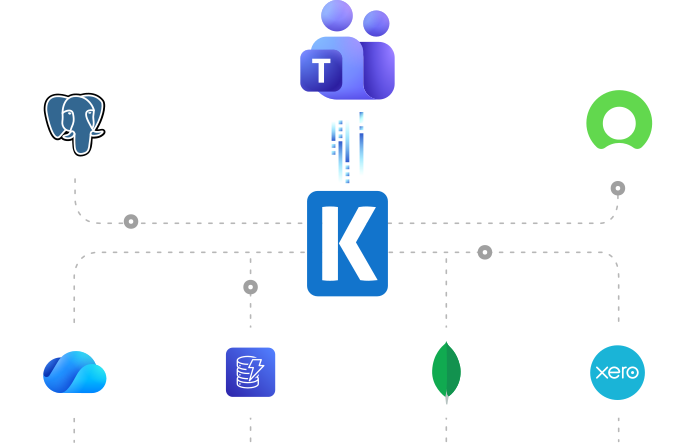
SQL Server Based Data Integration
Powerful Microsoft Teams SSIS Integration

Integrate Microsoft Teams with Any Source and Destination
Integrate and migrate Microsoft Teams data using SSIS with virtually any application or data source. Build data flows for teams, channels, chats, messages, members, and other supported collaboration objects to support reporting, governance, archival, and business process automation.
Download Learn MoreJava Connectivity
Simplified JDBC Connectivity for Microsoft Teams
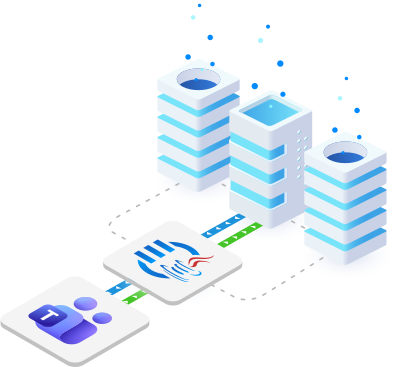
Connect Microsoft Teams with Java applications, ETL workflows, reporting tools, and BI platforms using structured, API-based JDBC access to collaboration and communication data.
Real-Time Syncing
Integrate Microsoft Teams Data in Real-Time
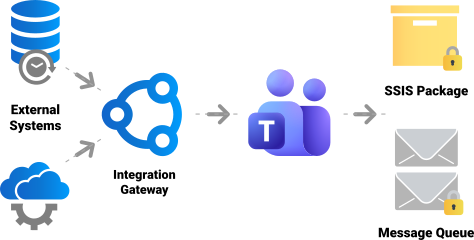
Utilize our Microsoft Teams Webhook to enable real-time data integration, ensuring data remains accurate and up-to-date across systems with seamless connectivity and automation.
More Collaboration Components
Our Collaboration components make it easy to integrate with different services within the ETL process. Each service available has specific components that have been developed to work with all the intricacies of that particular collaboration solution. In addition to Microsoft Teams, we support the following Collaboration services:
Browse Connectors

Asana

Basecamp

Calendly

ClickUp

DocuSign

GitHub

Jira

Microsoft Planner

Microsoft Project Server

Microsoft SharePoint

Microsoft To Do

Monday.com

OpenAI

Replicon

RingCentral

Slack

SmartSheet

Team Foundation Server

Teamwork

Trello

Webex

Wrike

Yammer

Zoho Sheet

Zoom
Download Solutions for Microsoft Teams


FAQ
Microsoft Teams data solutions are available through the SSIS Integration Toolkit, and the JDBC Driver Pack. Real-time event processing with Microsoft Teams can be streamlined with the Integration Gateway's highly flexible 'Microsoft Teams Webhook' functionality by receiving standard webhook notifications.
The Microsoft Teams REST Connection Manager supports Authorization Code, Client Credentials, and Certificate authentication. Configuration uses a Tenant ID and Client ID together with the mode-specific client secret, token file, or certificate settings. Authorization Code authentication also supports scopes and a Redirect URL.
The Microsoft Teams REST Destination component writes through supported destination objects and actions. Available actions, batch settings, and child inputs depend on the selected Microsoft Teams API endpoint and the permissions granted to the application.
The JDBC driver provides structured access to supported Microsoft Teams objects such as teams, channels, chats, messages, members, and related collaboration data.
The JDBC driver supports SELECT and applicable INSERT, UPDATE, DELETE, or UPSERT operations where the selected Microsoft Teams object, application permissions, and underlying API endpoint allow them.
Integration Gateway includes a native Microsoft Teams inbound webhook configuration. It receives authenticated webhook requests and routes each message to configured SSIS packages, message queues, file connections, or Windows commands. The Windows service can remain active without an interactive user session.
Talk to an Expert
If you would like to know more specific details about our solutions, or if you have any suggestions about our product offerings, we are always here to listen and help!
Contact Us