



Addressing Java Integration Barriers
Working with Power BI data introduces challenges such as:
Java Database Connectivity Solutions
With the JDBC Driver Pack, Power BI API data is structured in a familiar,
database-like format to simplify development, automation, and reporting.
Tabular Access to BI Assets
Retrieve datasets, reports, and workspace details as structured tables for analytics and monitoring.
SQL-Style Query Support
Use SQL-based syntax to access and filter Power BI data, minimizing the need for manual API coding.


Dynamic Metadata Discovery
Automatically adapts to schema changes, datasets, and workspace updates within Power BI environments.
Built-In Performance Optimization
Handles caching, pagination, and rate limits to deliver consistent, high-performance data access.
Benefits for Your Business
Enhance Analytics Integration
Access Power BI datasets through JDBC to connect your analytics, data warehouse, or automation platforms.
Simplify Data Governance
Query usage metrics and report structures directly for audit, monitoring, and compliance analysis.
Streamlined JDBC Features for Java Developers
Quick Setup
Easily configure JDBC URLs for Java applications with minimal effort through a straightforward setup process.
SQL Query Support
Execute SQL statements such as SELECT, INSERT, UPDATE, DELETE, and UPSERT using the JDBC API.
Advanced Query Capabilities
Leverage metadata discovery, prepared statements, and optimized execution for Java database connectivity.
Performance Optimization
Adjust caching and query timeouts while utilizing connection pooling in Java programs for better efficiency.
Secure Access Management
Utilize OAuth and API keys for secure JDBC access from Java applications without complex configuration logic.
Compatible with Leading JDBC Tools
Work with DbVisualizer, DBeaver, SQuirreL SQL, and other JDBC tools commonly used by Java developers.
JDBC API Access in Java Applications
Access and manage your Power BI data
with KingswaySoft's JDBC Driver Pack.
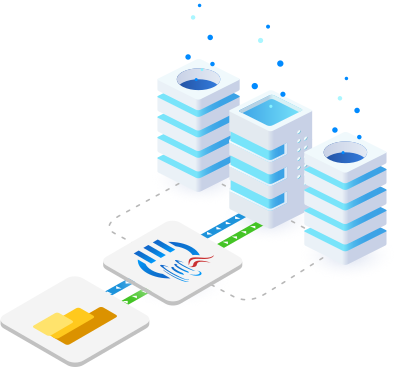
Our JDBC Driver Pack provides Java-based connectivity to Power BI APIs, helping developers integrate, query, and monitor datasets and reports using familiar SQL syntax and database-like structure.
Marketing & Analytics JDBC Drivers
Our JDBC Driver Pack includes a diverse selection of
drivers for seamless connectivity across business applications.

ActiveCampaign

Brevo

Constant Contact

EmailOctopus

Emfluence

Eventbrite

GetResponse

Google Ads

Klaviyo

Mailchimp

Mailgun

Mailjet

Power BI

Qualtrics

Salesforce Pardot

SurveyMonkey

TikTok Business

Typeform

Zoho Campaigns
FAQ – Power BI JDBC Driver
The KingswaySoft JDBC Driver for Power BI allows Java applications, BI tools, and reporting platforms to directly query and update Power BI datasets and workspace objects using a standard JDBC interface. This enables seamless integration for managing business intelligence data without manual API handling.
The driver supports both API Token and OAuth authentication methods, providing secure and flexible connectivity to Power BI datasets and workspace objects.
You can execute standard SQL statements such as INSERT, UPDATE, DELETE, and UPSERT. The driver translates these SQL commands into Power BI REST API calls, allowing you to manage datasets, tables, and other workspace objects efficiently.
The UPSERT operation combines insert and update functions. It checks for an existing record using a specified key and will insert a new record if none exists, or update the existing record if a match is found—all in a single SQL call.
Yes. The KingswaySoft JDBC Driver for Power BI is fully compliant with JDBC 3.0 and JDBC 4.0 standards, ensuring smooth integration with BI, reporting, ETL tools, and Java IDEs like Eclipse and IntelliJ IDEA.
Get In Touch
If you would like to know more specific details about our solutions, or if you have any suggestions about our product offerings, we are always here to listen and help!
Contact Us