

SSIS Components for Microsoft Dynamics SL
The first and only solution for Microsoft Dynamics SL data integration.
See Capabilities Get Expert Help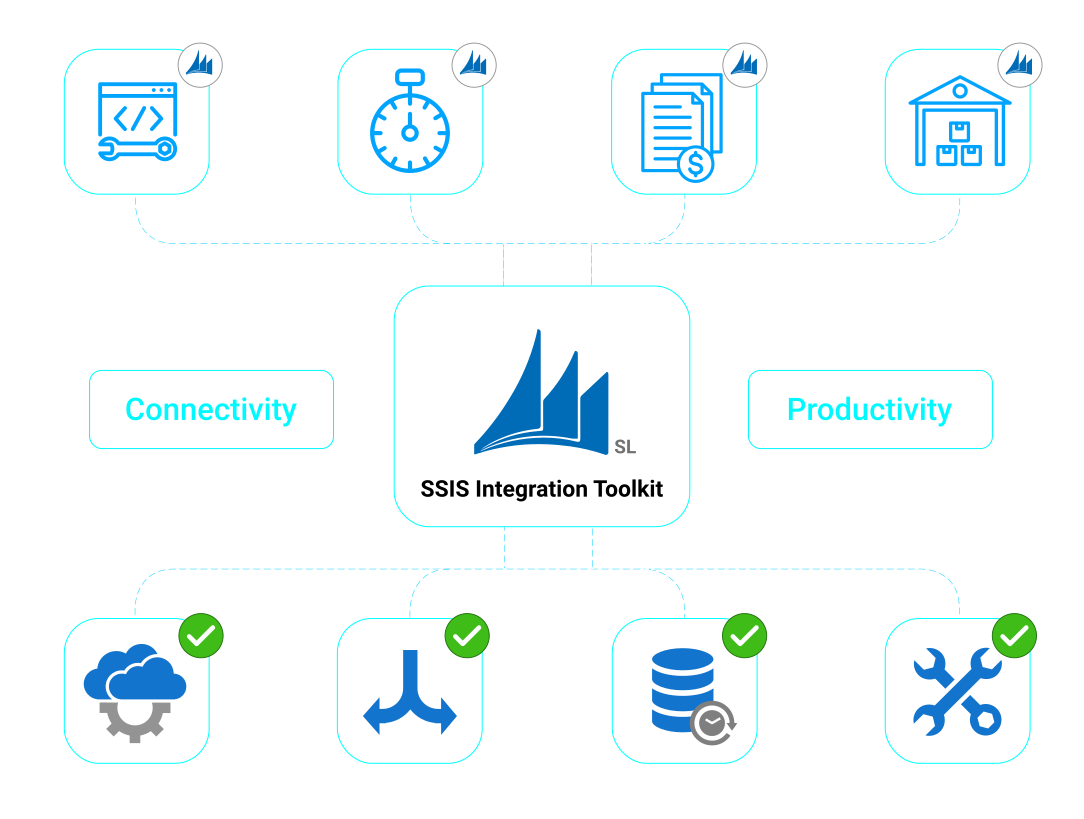
Financial, project, and operational data often need to connect with CRM, reporting, and other business systems to support more reliable processes. Integrating Dynamics SL with other platforms helps teams keep accounting, project, and transaction data better aligned throughout the organization.
Synchronize ERP Data
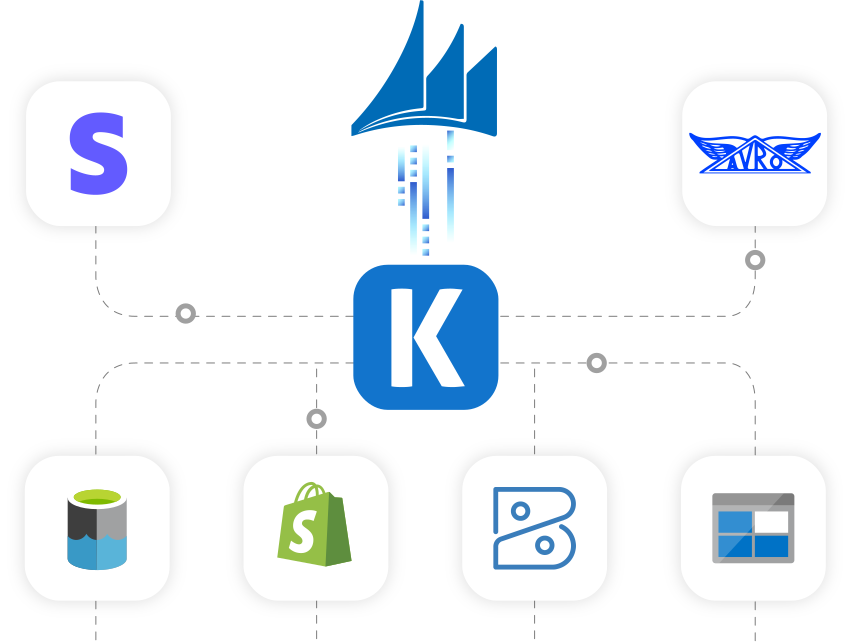
Easily sync Dynamics SL with your CRM, marketing platform or any other application so business data is always up-to-date. Bring more visibility across applications so employees have the right information on hand to make the appropriate decisions.
Automate Business Processes
Dynamics SL relies on input from your other applications to help drive the business. Customer makes a purchase? Let your after-sales team follow up. Closing a deal in your CRM? Allow your Dynamics SL to finalize the order process.
Replicate Data

Data Archival
Easily replicate data from Dynamics SL for data archival and warehousing requirements.

Data Analytics
Easily retrieve data from Dynamics SL so it is available for your choice BI and Analytics platform.
Microsoft Dynamics SL Data Integration is available in the SSIS Integration Toolkit
Microsoft Dynamics GP Connection Manager
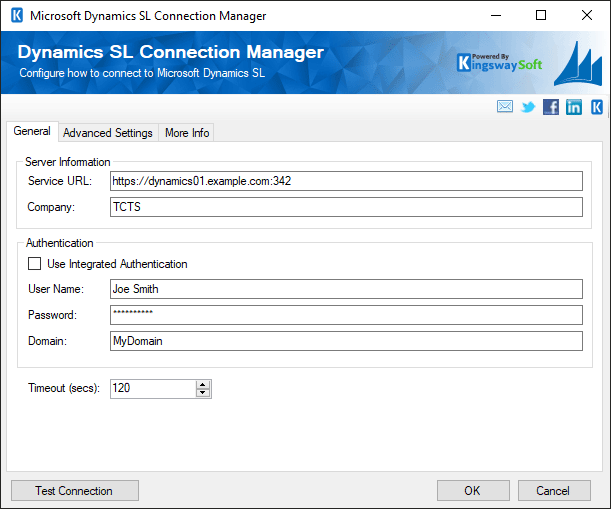
- The Dynamics SL Connection Manager facilitates connection to Dynamics SL's web services.
- Enables efficient data loading from Dynamics SL to other destinations in SSIS, facilitating seamless integration and synchronization of financial and project data.
- Supports multiple versions of Dynamics GP and both basic and integrated authentication.
- See this component's documentation
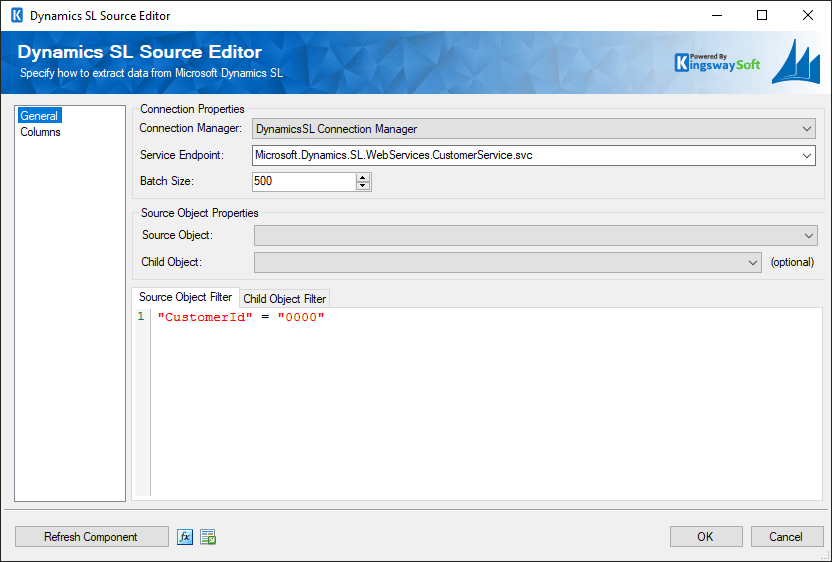
Microsoft Dynamics GP Source Component
- The source component allows you to read data from Dynamics SL objects via web services.
- Supports efficient data extraction from Dynamics SL, streamlining the process of integrating financial and project data with other systems.
- Offers comprehensive filtering and mapping capabilities, allowing users to select specific Dynamics SL data and accurately align it with SSIS fields for a seamless data retrieval experience.
- See this component's documentation
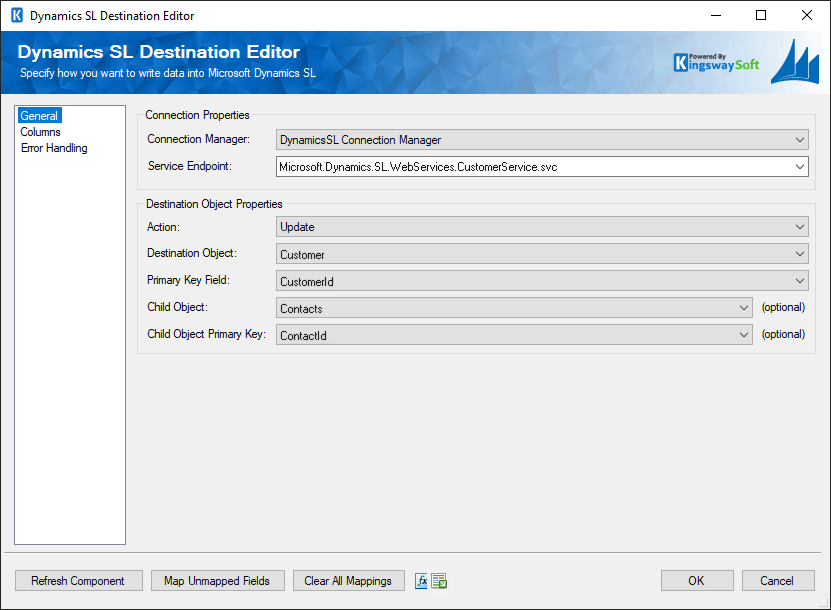
Microsoft Dynamics GP Destination Component
- The destination component facilitates writing data to Dynamics SL via web services.
- Supports bulk data insertion, enabling quick uploading of large datasets to Dynamics SL and reducing processing time.
- Offers advanced and flexible options for data customization and mapping, ensuring precise alignment of Dynamics SL data with SSIS fields for accurate and smooth data transfer.
- See this component's documentation
Unique Features
Dynamics SL Data Integration Made Easy
Our solution is easy to use, offering code-less integration between Marketo and virtually any other application or database system. Our solution is built utilizing Microsoft SQL Server Integration Services (SSIS), a performant and flexible ETL platform, allowing your team to take advantage of the technologies and skills they already have. The drag-and-drop user interface makes it easy to set up powerful integration within a matter of minutes.
Our Dynamics SL integration solution is available within the SSIS Integration Toolkit, a large collection of premium and unique ETL tools to enable greater development productivity. We also offer several additional connectivity solutions to easily integrate Dynamics SL with applications such as Microsoft Dynamics 365, SharePoint, Salesforce, and many more.
See our full product offerings for more information.
Data Integration Scenarios
Integrate Dynamics SL with Anything
Integrate Dynamics SL with accounting platforms, CRMs, APIs, and databases using high-performance data components.
Integrate Microsoft Dynamics SL with Dynamics 365
Integrate Microsoft Dynamics SL with Excel
Integrate Microsoft Dynamics SL with HubSpot

Integrate Microsoft Dynamics SL with Marketo
Integrate Microsoft Dynamics SL with Power BI
Integrate Microsoft Dynamics SL with Project Server
Integrate Microsoft Dynamics SL with Salesforce
Integrate Microsoft Dynamics SL with SharePoint
More ERP Components
Our ERP components make it easy to integrate with different services within the ETL process. Each service available has specific components that have been developed to work with all the intricacies of that particular ERP solution. In addition to Dynamics SL, we support the following ERP services:

Acumatica

Extensiv

Microsoft Dynamics 365 FO/AX

Microsoft Dynamics 365 Business Central/NAV

Microsoft Dynamics 365 Supply Chain Management

Microsoft Dynamics GP

NetSuite

Odoo

SAP
More Resources
Download our Data Sheet for
SSIS Components for Microsoft Dynamics SL

Get In Touch
If you would like to know more specific details about our solutions, or if you have any suggestions about our product offerings, we are always here to listen and help!
Contact Us